

 Shared-screen party game
Everyone plays from their phone. One screen, up to 8 friends, zero downloads.
Grab any screen, scan a QR code, and jump into quick mini-games built for spontaneous fun. Action, drawing, matching, and comedy, local or online.
- Up to 8 players
- Phones as controllers
- No app, no account, no waiting
Available with Google Play Pass

How it works
Zero setup. Just scan and play.
Open Play Friends on any screen and your friends join in seconds from their phones. No app to install, no account to create.
-
Open it on a screen
Launch Play Friends on your PC, console, tablet, or smart TV. A room code and a QR code appear.
-
Scan to join
Everyone scans the QR code or types the room code into their phone browser. That is it, they are in.
-
Play together
Pick a mini-game and go. Your phone becomes the controller: tap, swipe, draw, or type.
Not in the same room? Share your screen on Discord, Zoom, or Steam and play from anywhere.
Mini-games
Four mini-games to start. More on the way.
Every mini-game turns your phone into a different controller, and each one is easy to learn in seconds.
-
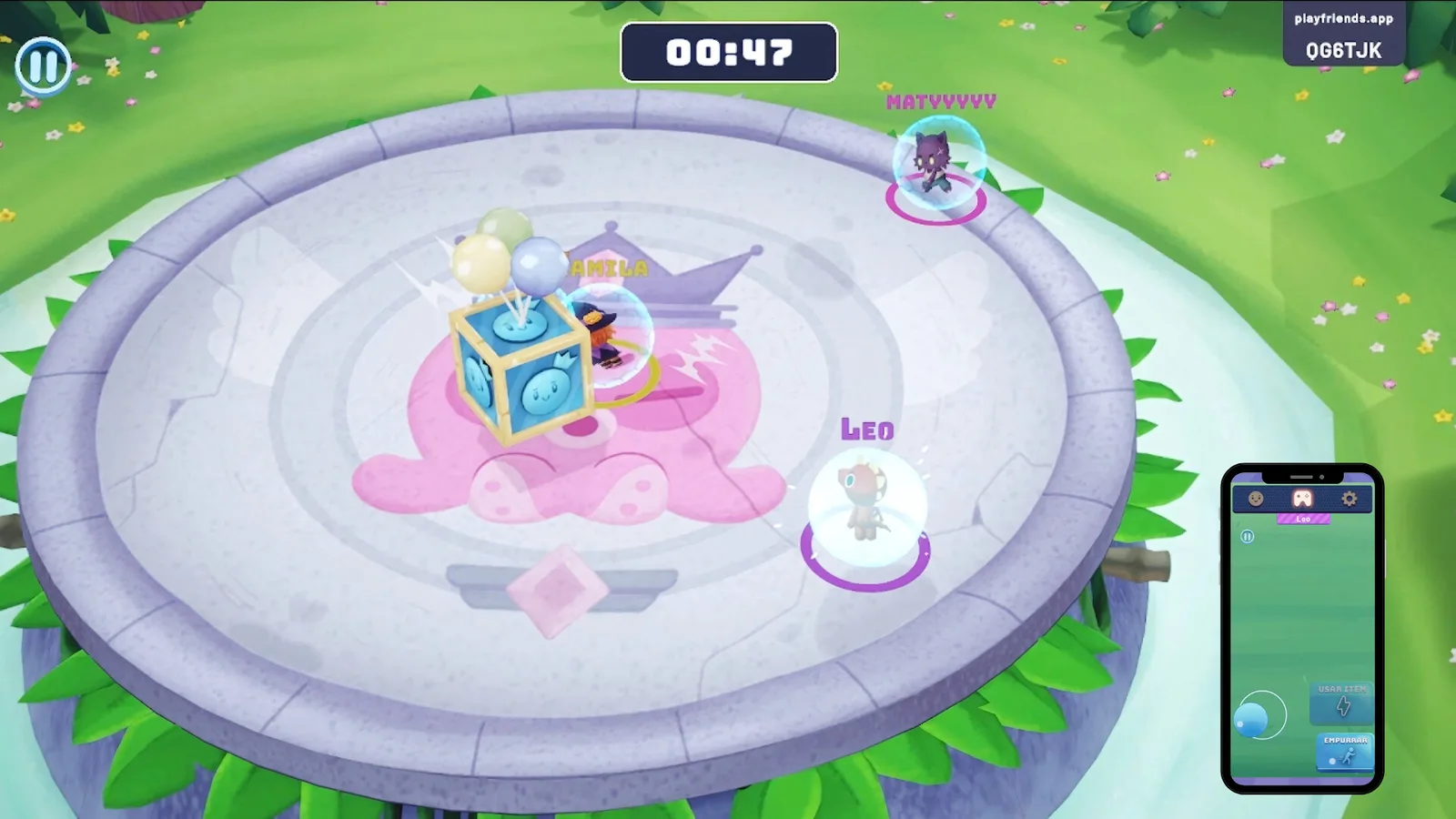 Action · 2 to 8 players
Knockout
Push everyone off the platform and be the last one standing. Dodge attacks, grab power-ups, and send your friends flying into the void. Simple rules, total chaos, and someone always wants one more round.
-
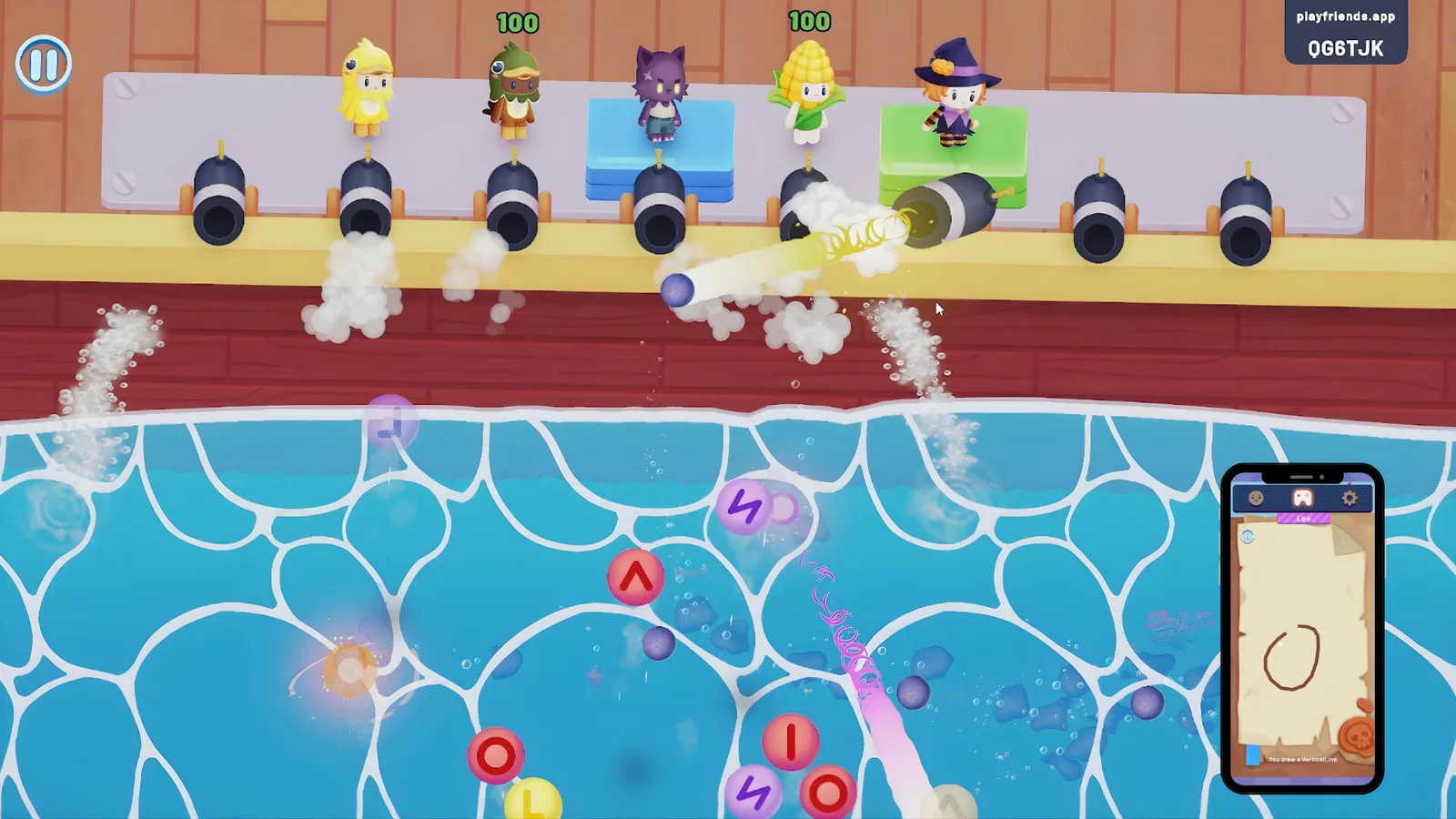 Co-op · 1 to 8 players
Ship Shapes
Your phone turns into a drawing pad. Complete the patterns before time runs out or watch your ship sink. Sounds easy until the pressure kicks in and suddenly nobody remembers how to draw a circle.
-
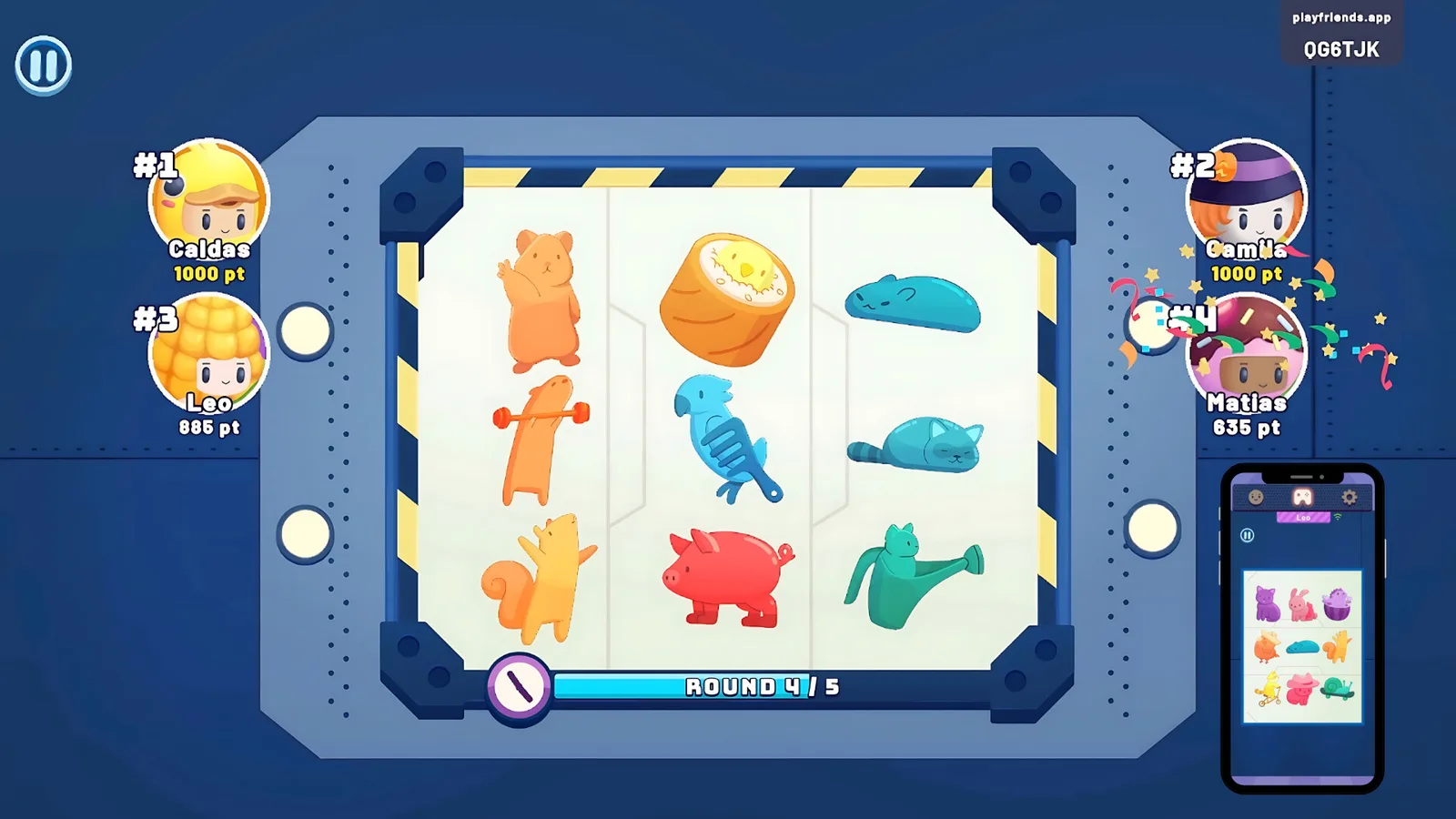 Reflex · 2 to 8 players
AniMatch
Find and match the right character faster than everyone else. Pattern matching at crazy speeds, where one wrong tap drops you to last place. Your reflexes better be ready.
-
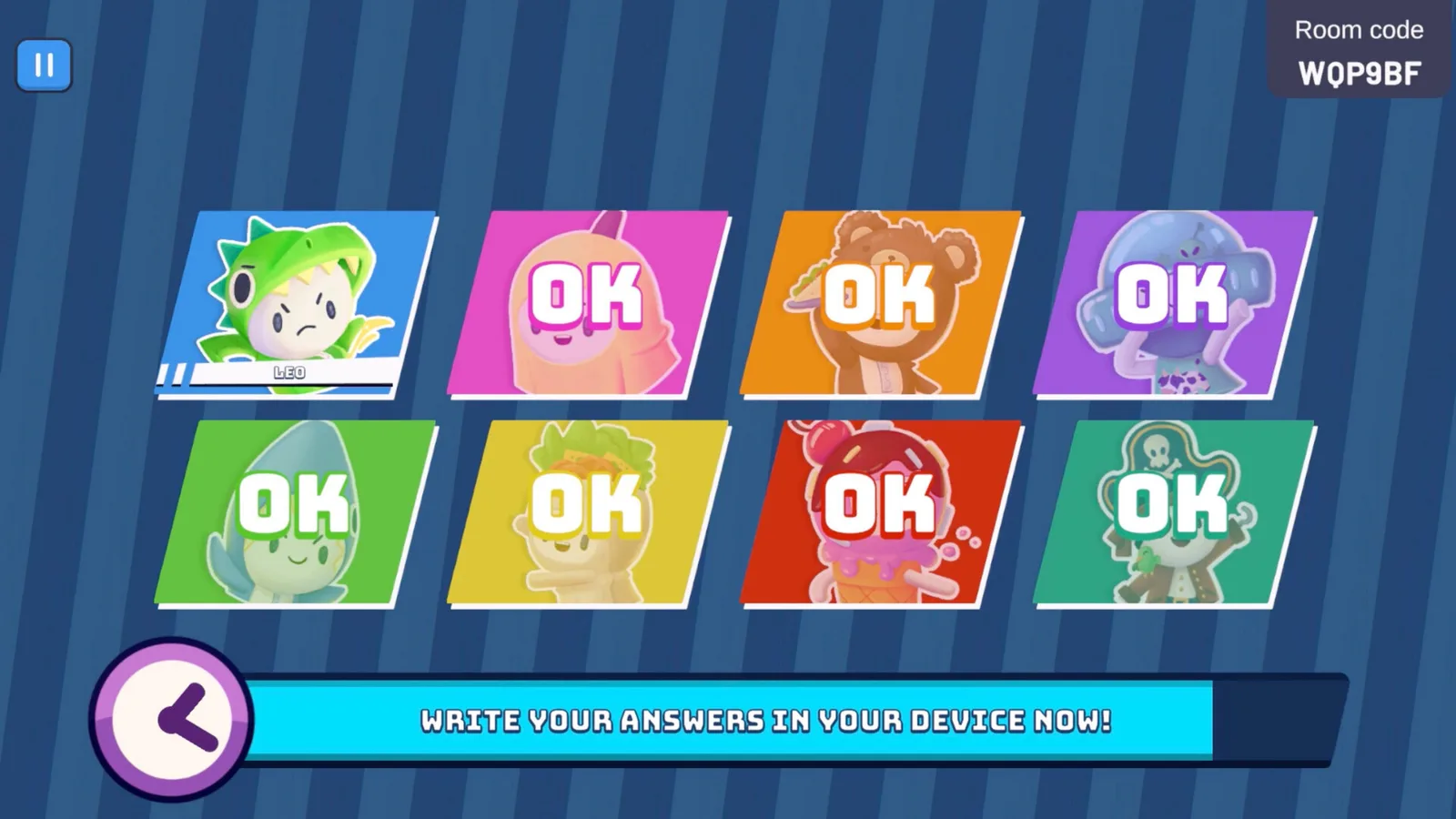 Party · 3 to 8 players
Punchline
Write the funniest answer, vote for your favorites, and laugh at how bad everyone's jokes are. Somehow the worst ones always win. That is what makes it perfect.
Two more in development
Two new mini-games are in the works, shaped by community feedback and playtests. Six games at launch, more than the usual party pack.
Features
-
Play anywhere
PC, console, phone, tablet, or smart TV. Perfect for the living room, or remote play over a video call.
-
Jump in and play
Scan a QR code and you are in. If you have a phone, you are ready. No companion app required.
-
Easy for everyone
No long tutorials, no waiting. The design suits everyone from Gen Z to grandparents.
-
Many ways to play
Action battles, creative drawing, quick matching, and word challenges. Every player finds a favorite.
-
Built-in accessibility
Sensor support, haptic feedback, and accessibility options make sure everyone can join the fun.
-
Made for streamers
Creators can pull their audience into the game with a room code and build content around the chaos.
Platforms
One game, every screen
Play Friends runs on the platforms you already own. Start a session on any of them, and your friends join from their own phones.
The web controller runs in any phone browser, so nobody at the party ever needs to install an app.
- Steam
- Xbox
- PlayStation 5
- iOS
- Android
- Android TV
Nintendo Switch is under evaluation.
Made by Plot Interactive
Play Friends is made by Plot Interactive, an award-winning studio from Florianópolis, Brazil, creating games, apps, and animation since 2014. Over 50 projects shipped, with work for partners like Disney, Sanrio, and Mauricio de Sousa.
We build inclusive, accessible experiences that bring people together. Play Friends carries a Brazilian-inspired soundtrack and a design tested with players of every age. Backed by the Google Play Indie Games Fund.
plotinteractive.com ↗
Wishlists help us launch
Adding Play Friends to your Steam wishlist takes ten seconds and costs nothing, and it is the strongest signal that tells Steam to show the game to more players. If you want more people at the party, this is how you help.
Wishlist on SteamYou will get exactly one notification: when the game launches.
Community
Bring your friends
Our Discord is where players and the team hang out. Drop in for news, playtests, and to find people to play with.
Join our DiscordPress & publishers
Publishers & press
Play Friends is in active development and open to publishing and platform partnerships. A public demo is live on Steam, and the controller app is on Google Play, the App Store, and the web. Press kit and contact below.
Recognition
- Google Play Indie Games Fund: US$200K, equity-free
- SBGames 2025 Best Technology finalist
- 5,000+ Steam wishlists from the demo
- Featured at Gamescom Latam
FAQ
FAQ
What is Play Friends?
Play Friends is a shared-screen party game for up to 8 players. One screen hosts the game and everyone uses their own phone as the controller, joining in seconds by scanning a QR code or typing a room code.
Do my friends need to download an app?
No. Players join straight from their phone browser, with no app to install and no account to create. A controller app is also available on Google Play and the App Store if you prefer it.
How many people can play?
Up to 8 players in a session. Some mini-games work solo or in small groups, others shine with a full room.
Can we play remotely, or only in the same room?
Both. Play in person around one screen, or share your screen on Discord, Zoom, or Steam and play together from anywhere.
What platforms is Play Friends on?
PC on Steam, Xbox, PlayStation 5, mobile on iOS and Android, and Android TV. Nintendo Switch is under evaluation. Wherever you host, friends still join from their phones.
When does Play Friends release, and how much does it cost?
The release date and final pricing have not been announced yet. Wishlist on Steam to be notified at launch. A public demo is free to play right now.
What kind of mini-games are there?
Four to start: Knockout (action), Ship Shapes (co-op drawing), AniMatch (reflex matching), and Punchline (comedy and voting). Two more are in development, for six at launch.
I'm a publisher, platform, or journalist. How do I reach you?
Use the contact link in the Publishers & press section above. The press kit is linked there too.